Empowering Women with Safety-First Route Recommendations
Problem: Women face safety concerns when navigating unfamiliar routes, especially at night. Current navigation apps prioritize speed over safety.
Solution: An enhanced Google Maps interface that prioritizes safety through real-time safety scoring, community reporting, guardian mode, and emergency features.
6 Months
UX/UI Designer
Figma, Prototyping
Safety Enhancement
Below are the 10 key screens showcasing the complete user journey and interface design.
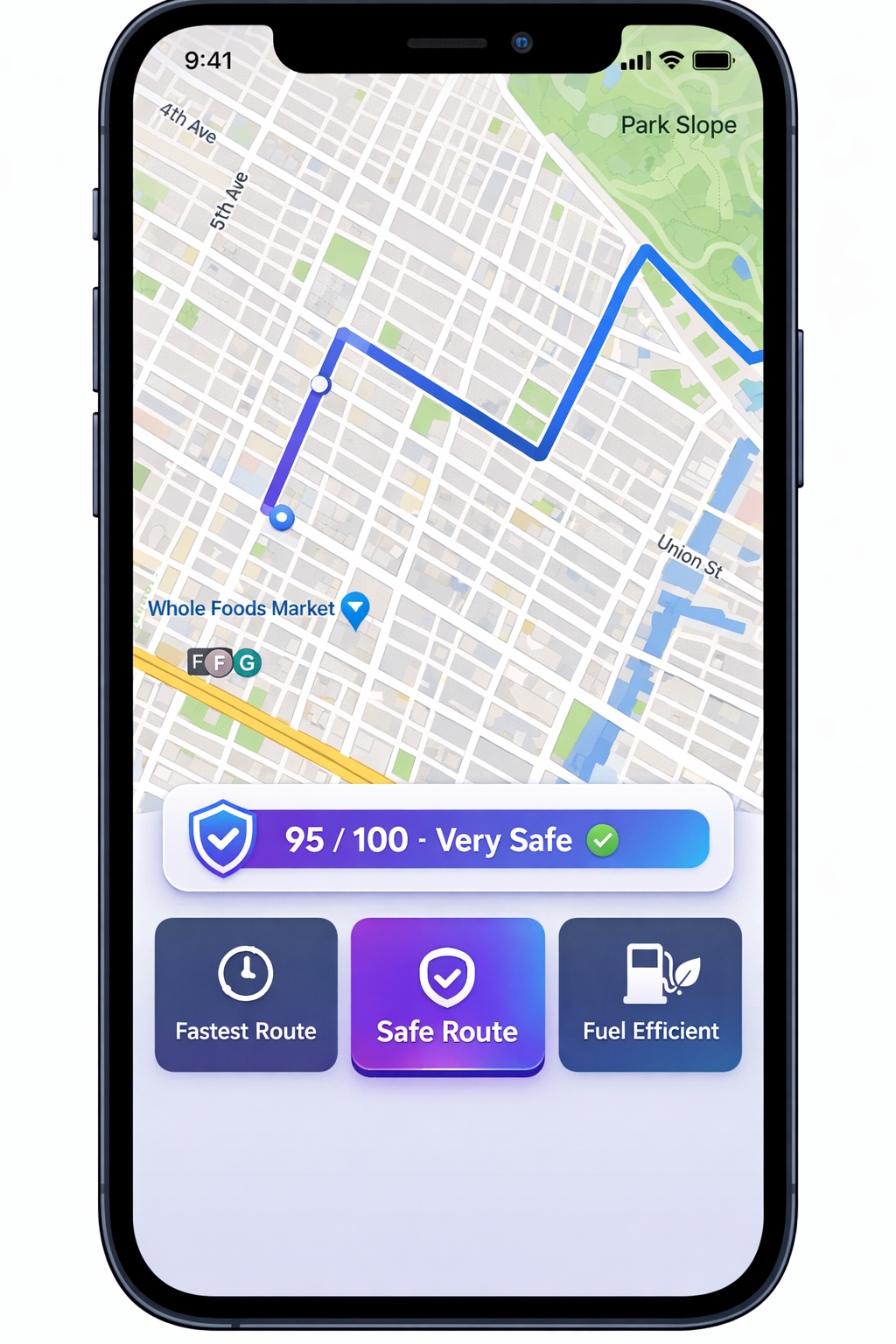
Map overview with safety indicators and quick access to route options
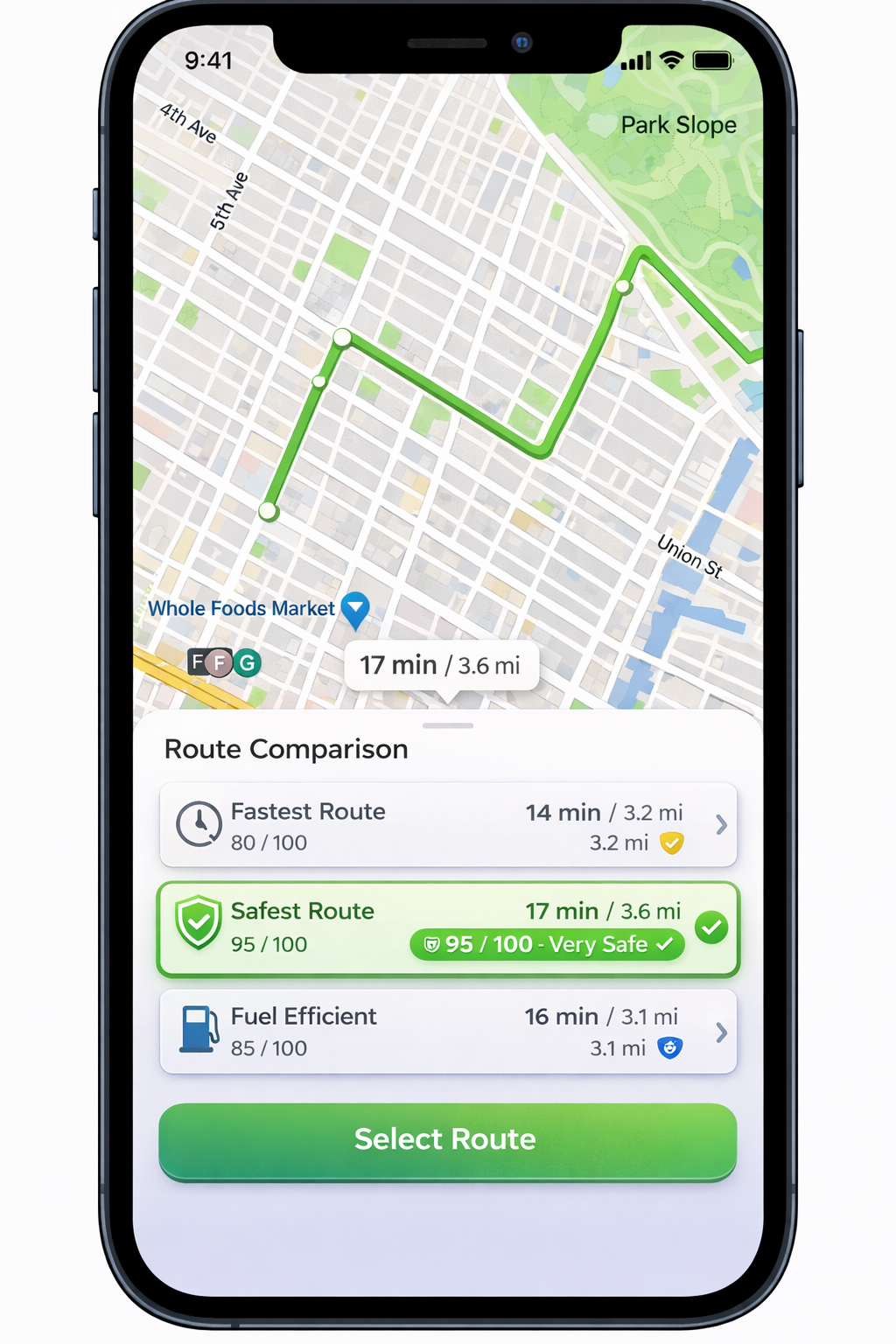
Three route types: Fastest, Safest, and Fuel Efficient with safety scores
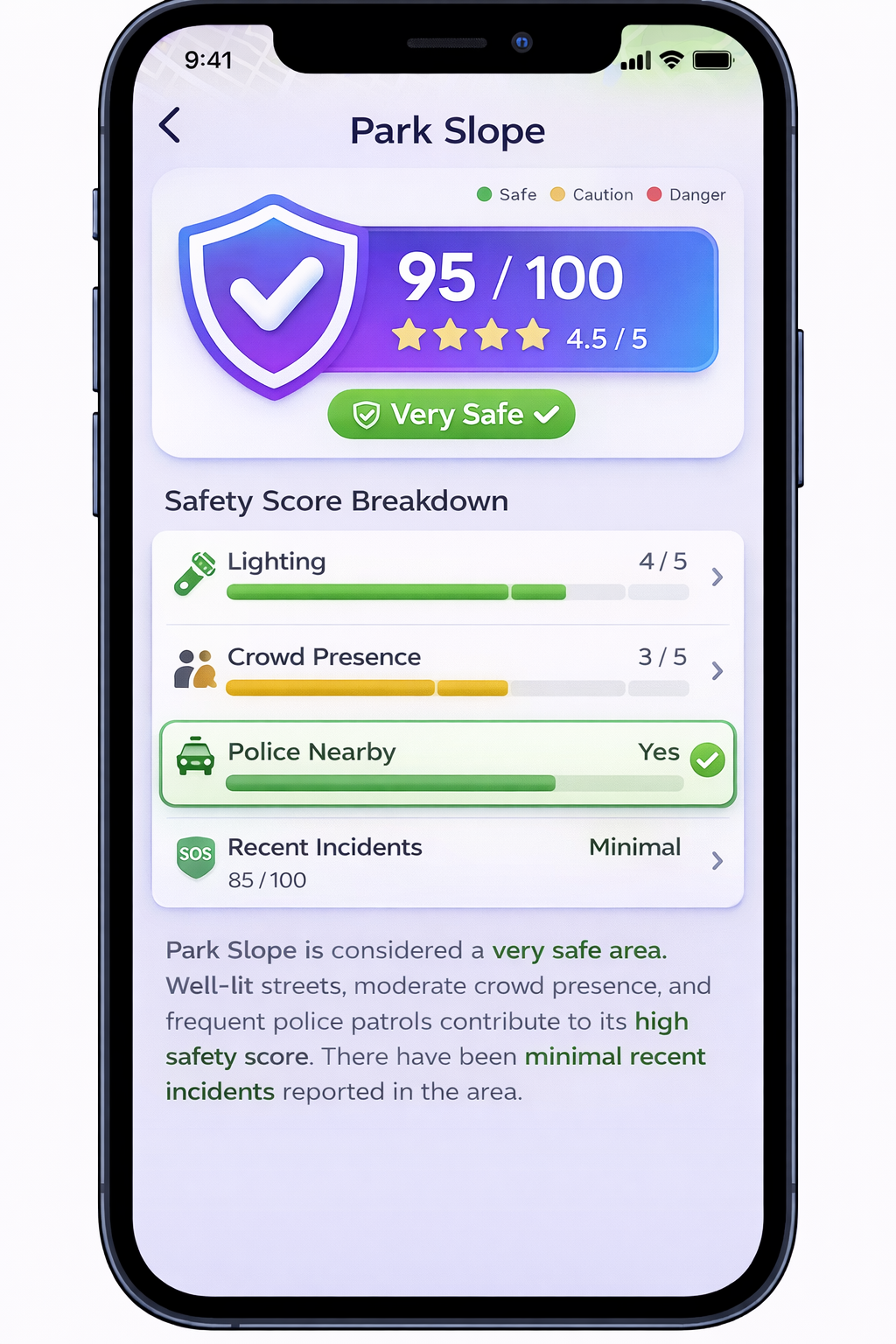
Detailed breakdown of safety factors for a selected area
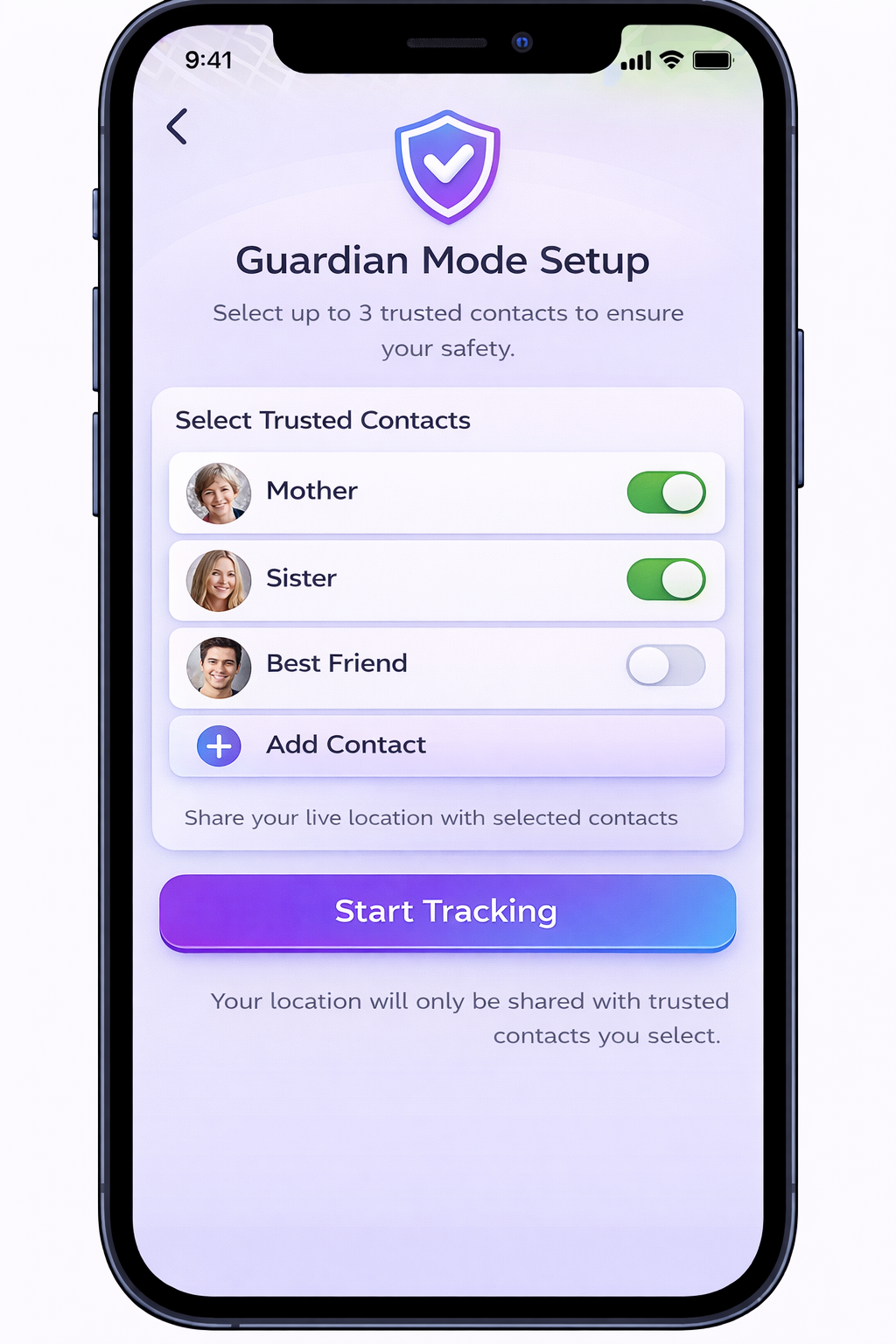
Select trusted contacts for real-time location sharing
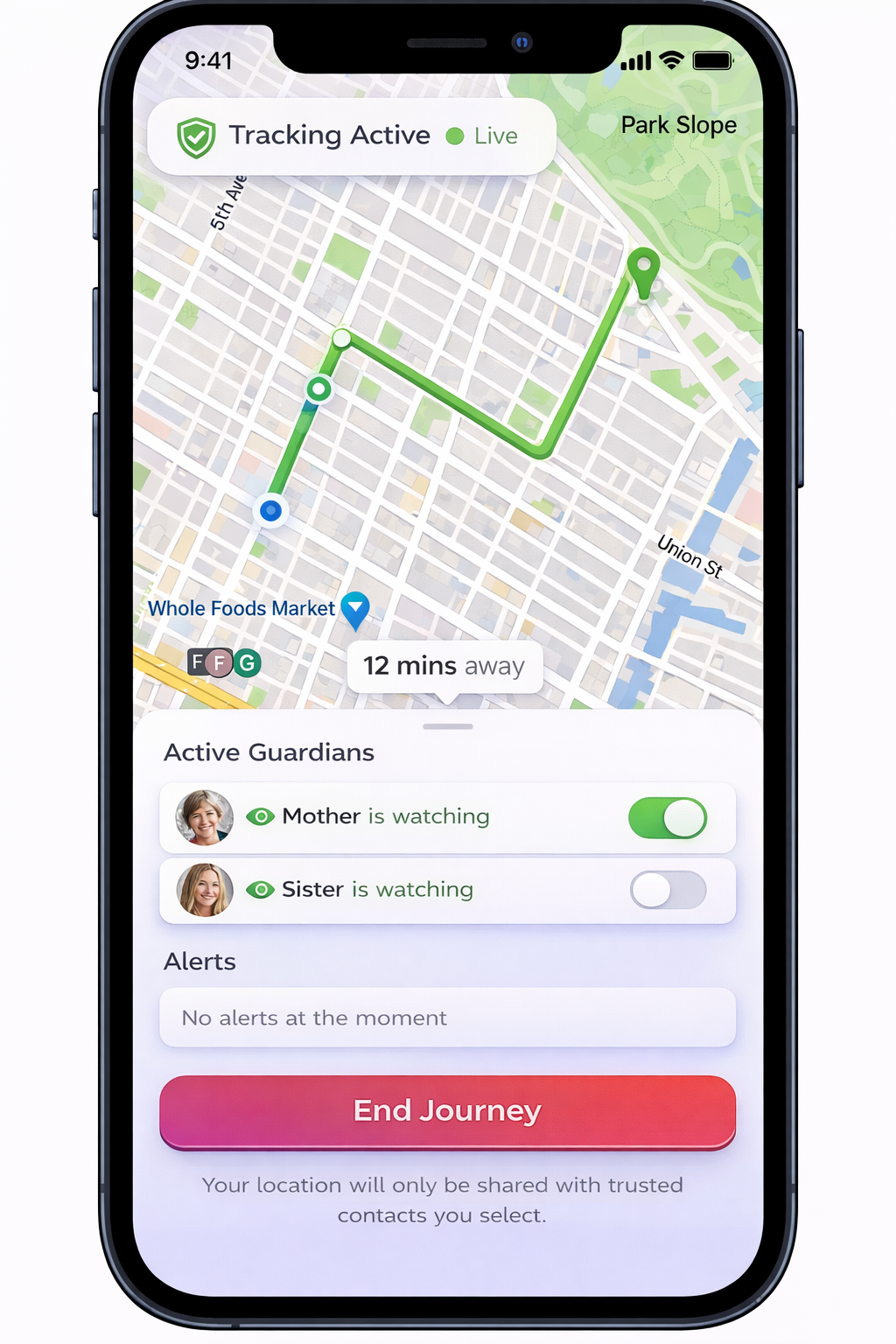
Real-time journey tracking with live alerts to guardians
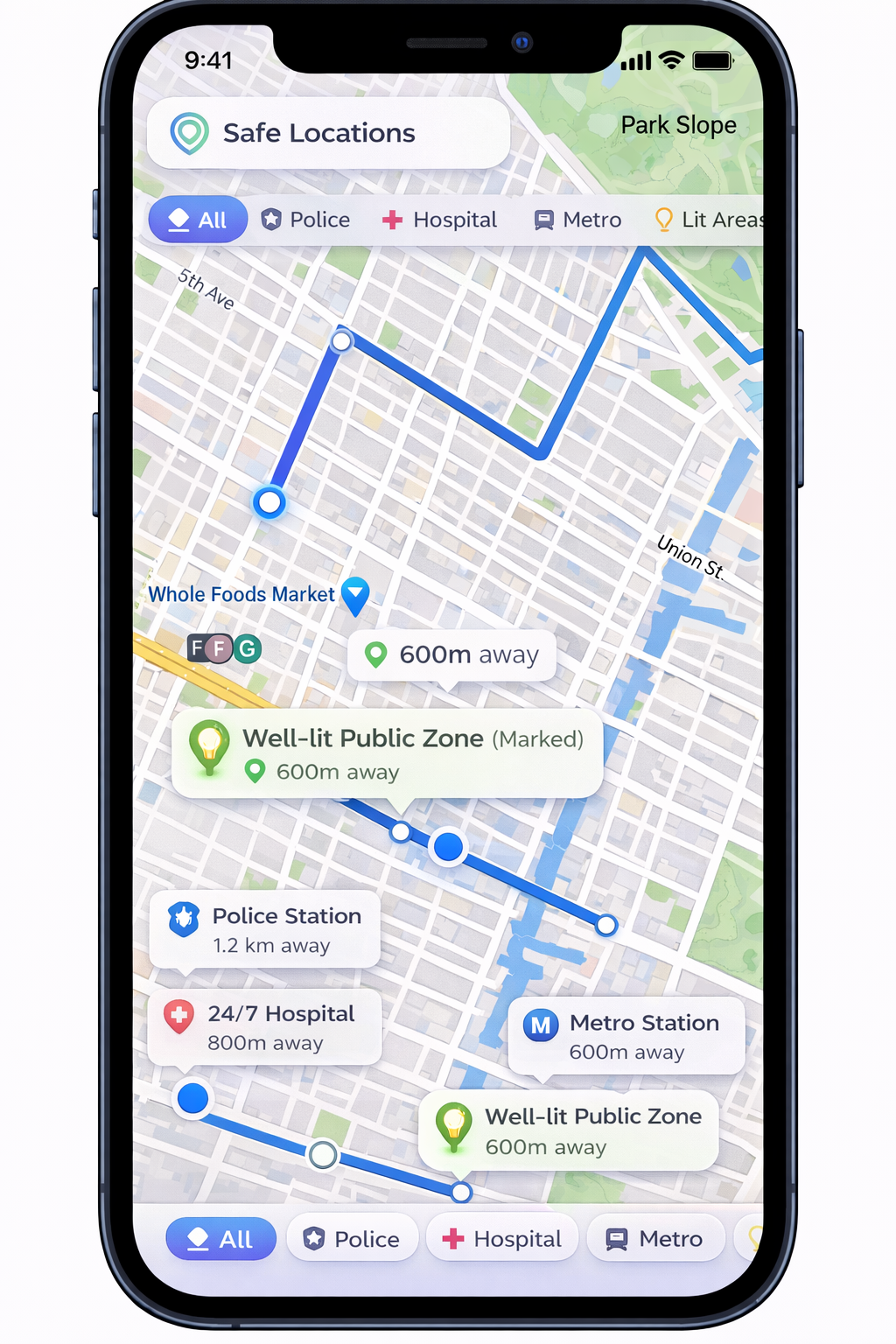
Map showing police stations, hospitals, metro stations, and well-lit zones
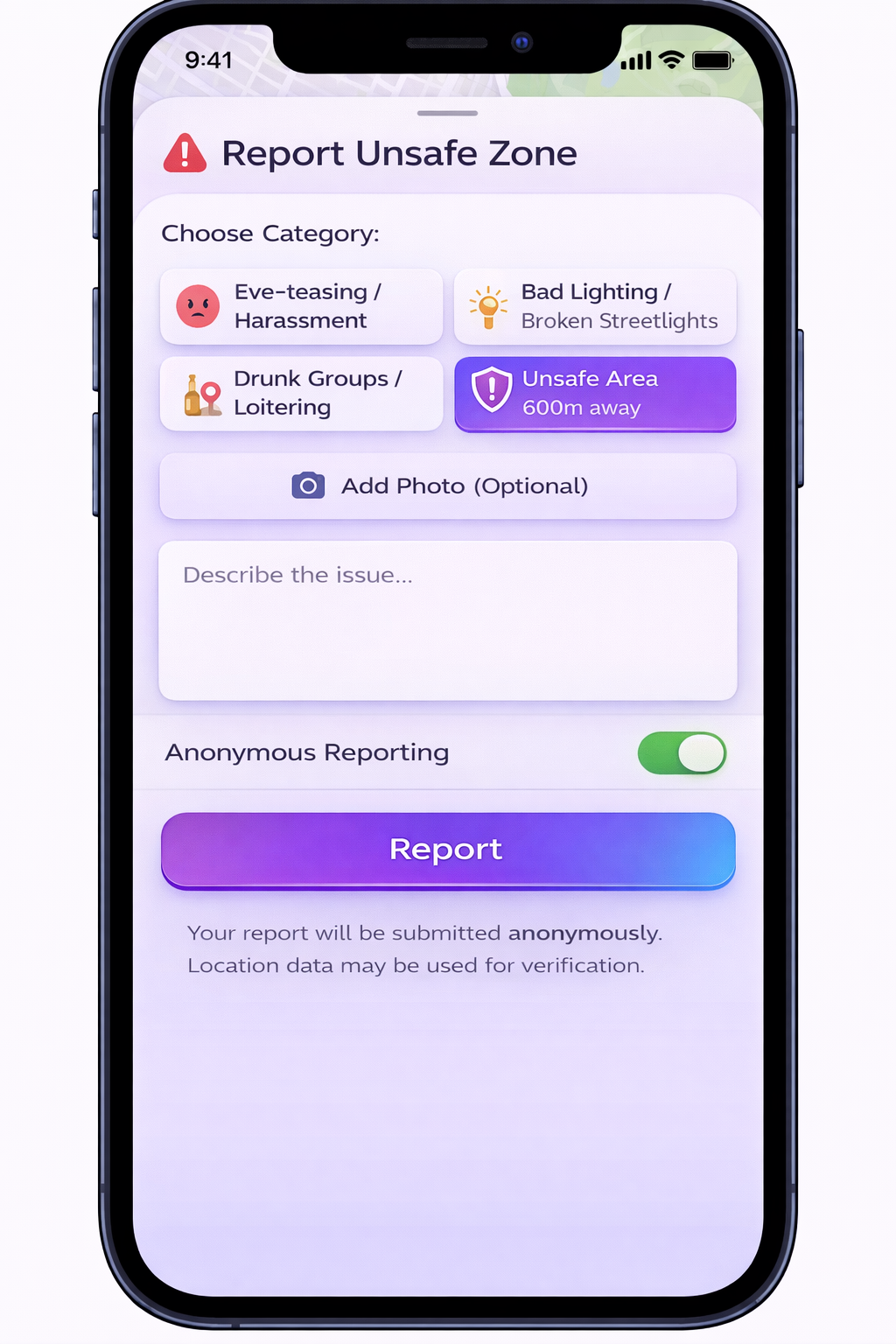
Report unsafe areas or incidents to help other users
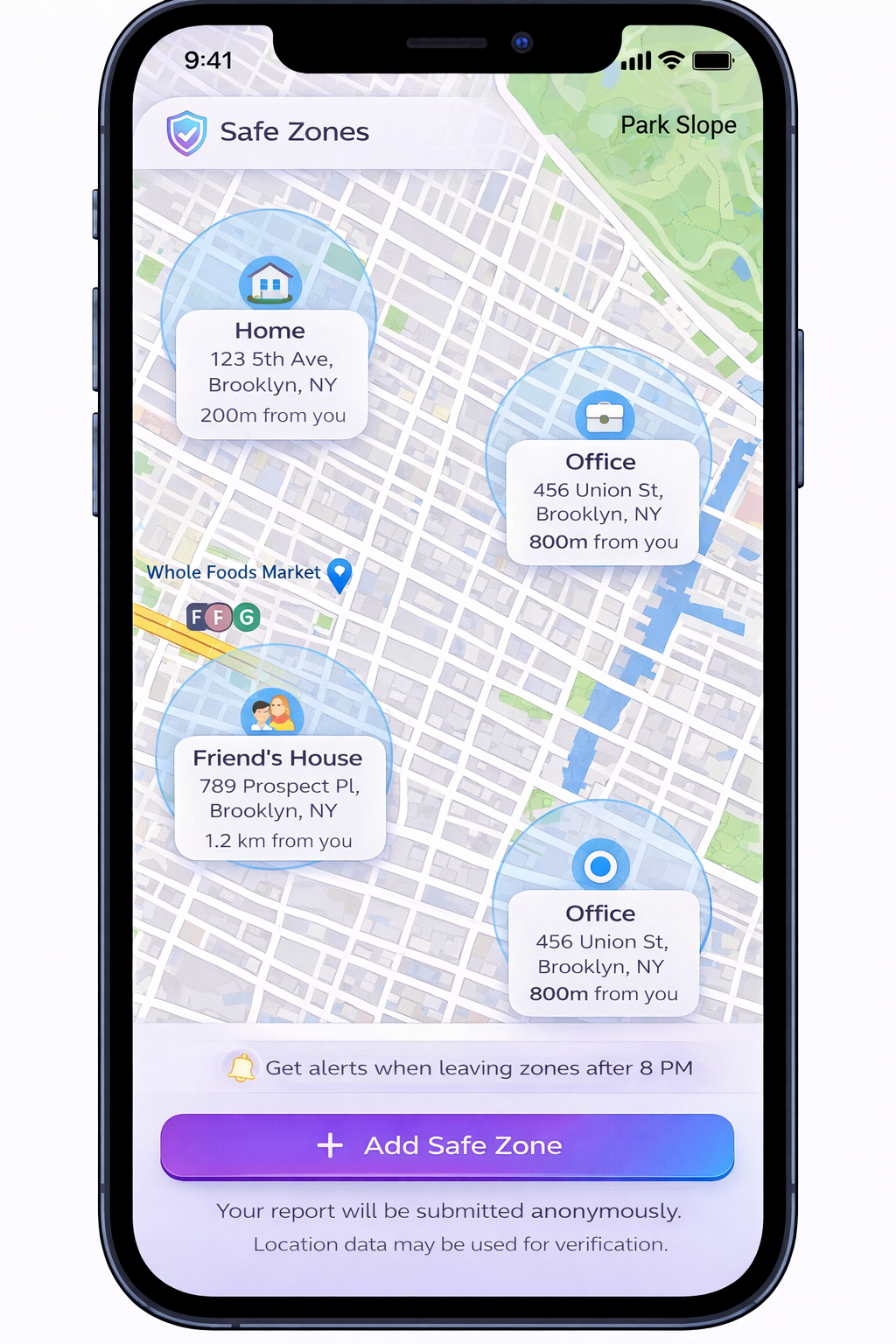
Define personal safe zones (home, office, friend's place)
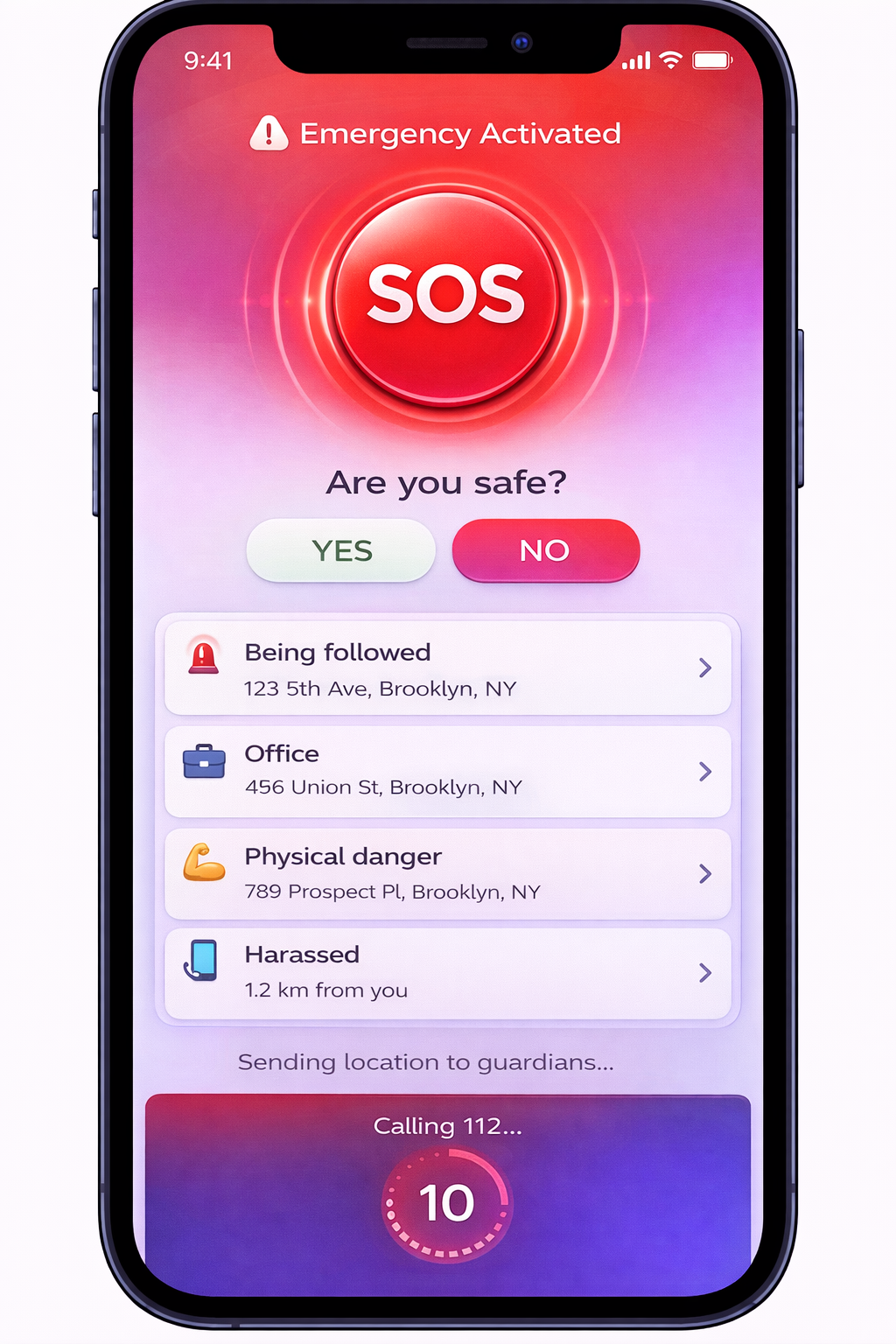
One-tap SOS with location sharing and emergency contact alerts
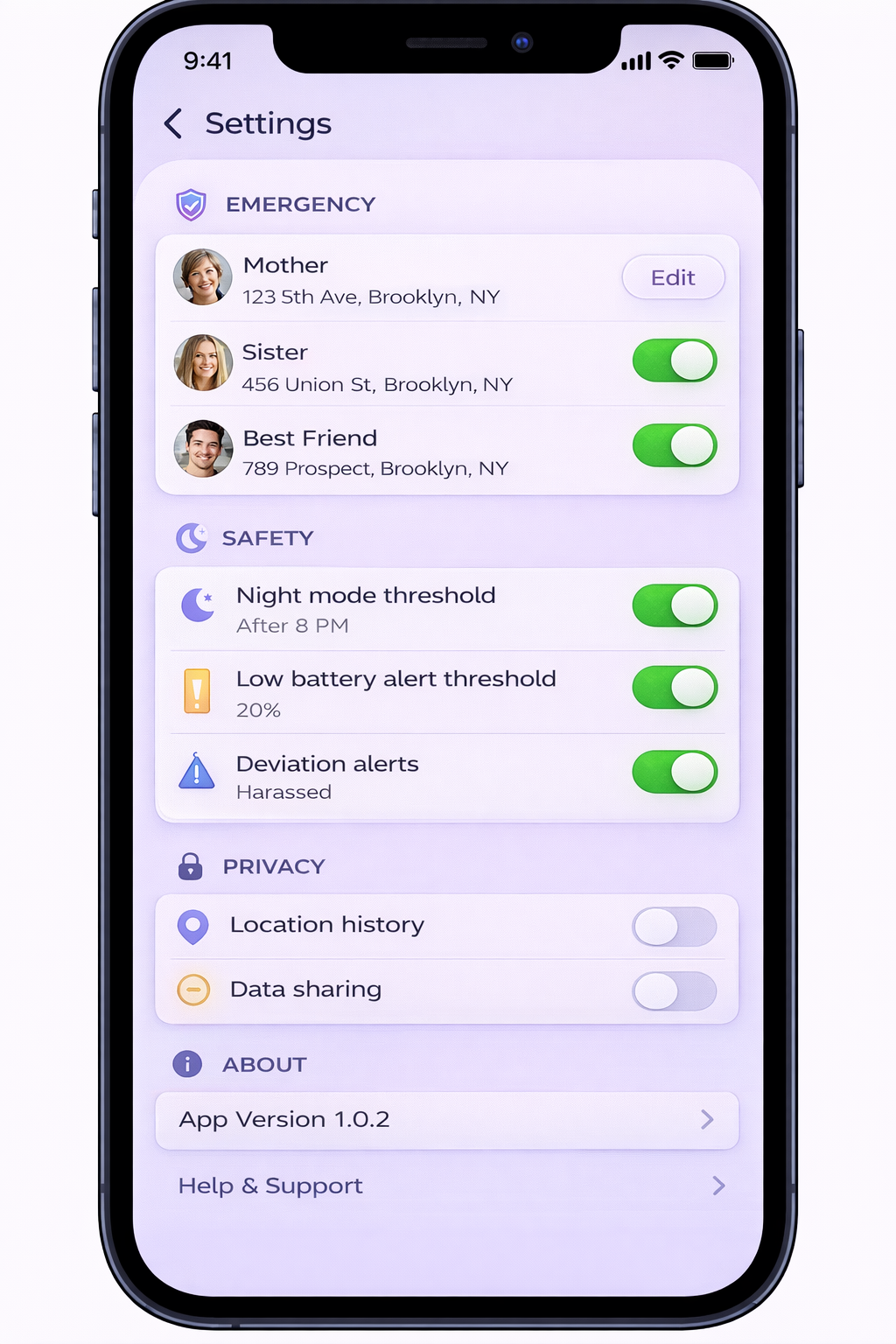
Customize safety alerts, notification preferences, and trusted contacts
Choose between fastest, safest, or fuel-efficient routes
Real-time 1-5 safety rating based on lighting, crowd presence, and incidents
Share your live location with trusted contacts for added security
One-tap emergency activation with automatic contact alerts
Define and get alerts when leaving personal safe areas
Locate nearby police stations, hospitals, and well-lit public zones
Conducted user interviews with women to understand safety concerns and behaviors while traveling
Brainstormed 30+ feature ideas and prioritized based on user needs and feasibility
Created detailed wireframes for all 10 main screens and user flows
Developed high-fidelity prototypes with cohesive visual design and micro-interactions
Conducted user testing sessions and iterated based on feedback
Check out the Legal Rights AI Assistant project or get in touch to discuss this project further.